The message reaches the right colleague
When a caller asks for a person or a department, BelBuddy takes the message for that person. They receive it straight away.
- Per person or per department
- Instantly by email and as a notification on their phone
- Each colleague sees only their own messages
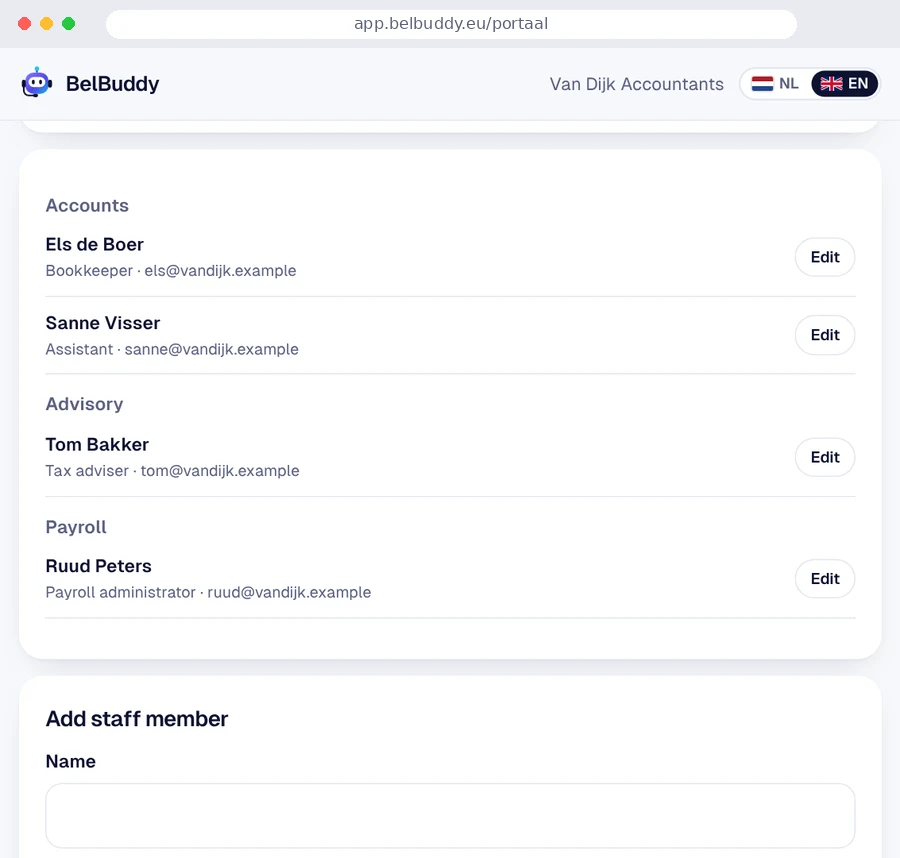
A message for the right person
"Can I speak to Els?" BelBuddy takes the message for Els, or for her department.
Informed straight away
Your colleague receives the message by email, and as a notification on their phone with the app.
Their own login
Log in with a code, Microsoft or Google. Everyone sees only the messages for themselves or their own department.
How to set it up
On the computer, at app.belbuddy.eu: Settings › Staff. Name, department and email address, nothing more. Available in the Business and Team plans.
With Microsoft 365: staff, departments and job titles are imported automatically and updated every day. In the Team plan, BelBuddy books appointments in the calendar of the team member the caller asks for, or of whoever is free first. Your IT administrator grants permission once.
Coming soon: transferring calls to a colleague's phone.
Try BelBuddy free for 14 days
Up to 100 free minutes. No payment details needed. Set it up yourself in ten minutes.