BelBuddy app
Everything in one app
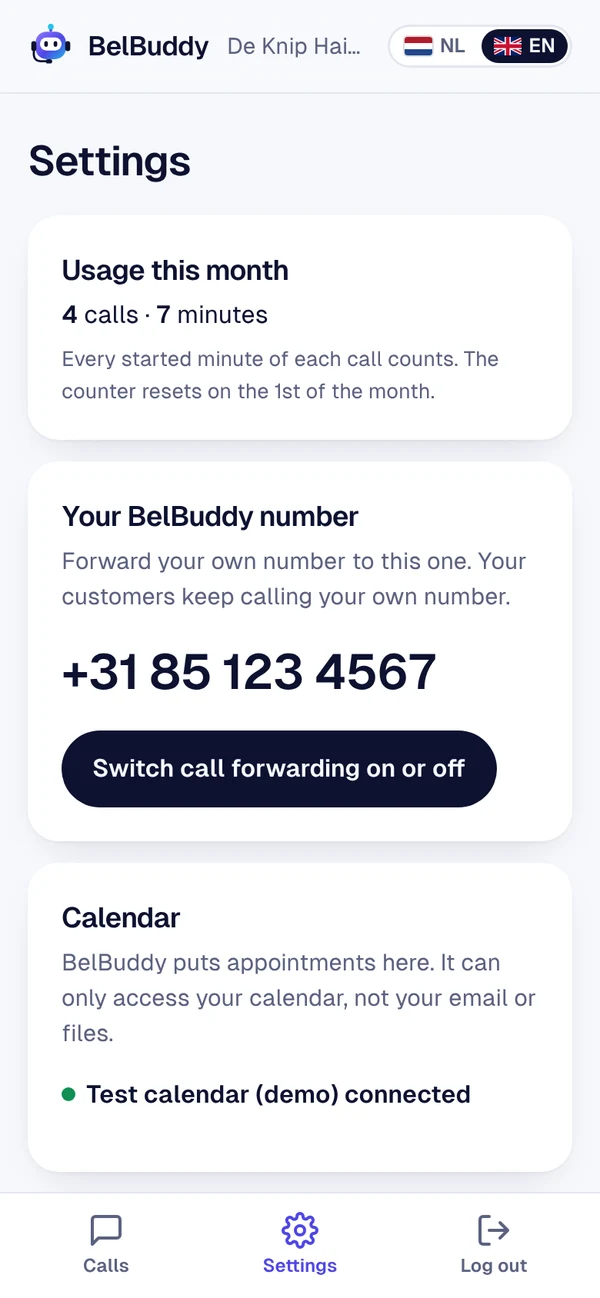
Read your calls, turn call forwarding on and off, and get a notification for every new message. On iPhone, Android and computer.
- Turn call forwarding on and off with one button
- Search and filter calls
- Log in with Microsoft, Google or a code
Anywhere
Install the app on your phone or open it on your computer.
For the whole team
Team members only see their own messages. The owner manages the rest.
Private
Calls are stored encrypted in Germany. You choose for how long.
How to install the app
Android
Open app.belbuddy.eu in Chrome and log in. Tap the three dots and choose Install app. Or install the app from Google Play.
iPhone and iPad
Open app.belbuddy.eu in Safari and log in. Tap the share icon and choose Add to Home Screen. Notifications from iOS 16.4.
Computer
Go to app.belbuddy.eu. This is also where you set up integrations, team members and tasks.
Try BelBuddy free for 14 days
Up to 100 free minutes. No payment details needed. Set it up yourself in ten minutes.